Luna Log
Cycle-synced nutrition and wellness
My Role
Product Designer
Type
Passion Project
Platform
Mobile Web
Tools
Figma Make
Project at a glance
Luna Log is a cycle-syncing nutrition and wellness tracker for women who want to align their food, movement, and habits with their menstrual cycle. The app calculates the user's current phase and adjusts daily calorie targets and guidance to match hormonal shifts.
The project started as a personal "I wish this existed" idea and is now a working React prototype generated and iterated with Figma Make. I also used Gemini to create the Luna character illustrations and integrated them into the UI.
Problem
Most trackers assume your body is the same every day:
- •Static calorie targets that ignore changing appetite and metabolism
- •Generic, sometimes shaming feedback when you're "over"
- •Cycle tracking, food logging, and mood/symptom logs scattered across different apps
From my own use and conversations with friends:
- •The luteal phase often feels like "falling off the wagon" instead of a normal increase in hunger
- •It's hard to see patterns when the data is split across multiple tools
- •When life gets busy, it's easier to eat out than figure out what to cook with what you have
Luna Log is my attempt to bring these pieces together and make it easier to work with your cycle while still eating in a way that feels achievable.
Goals
Make the cycle visible
Clearly show which phase you're in and why you might feel a certain way.
Adapt goals, not willpower
Adjust TDEE and daily calorie targets by phase instead of enforcing one fixed number.
Connect food and feelings
Log how meals affect energy and mood, not just calories.
Make cooking feel doable
Surface simple recipes so "just cook at home" feels less overwhelming.
Key flows
1. Onboarding
The onboarding flow captures last period date, average cycle length, and period duration. This data initializes a CycleContext (built with Figma Make) that calculates day-in-cycle and current phase (Menstrual, Follicular, Ovulation, Luteal). From the first visit to the Home screen, the app already feels tailored.


2. Home dashboard
The Home screen is the daily hub.
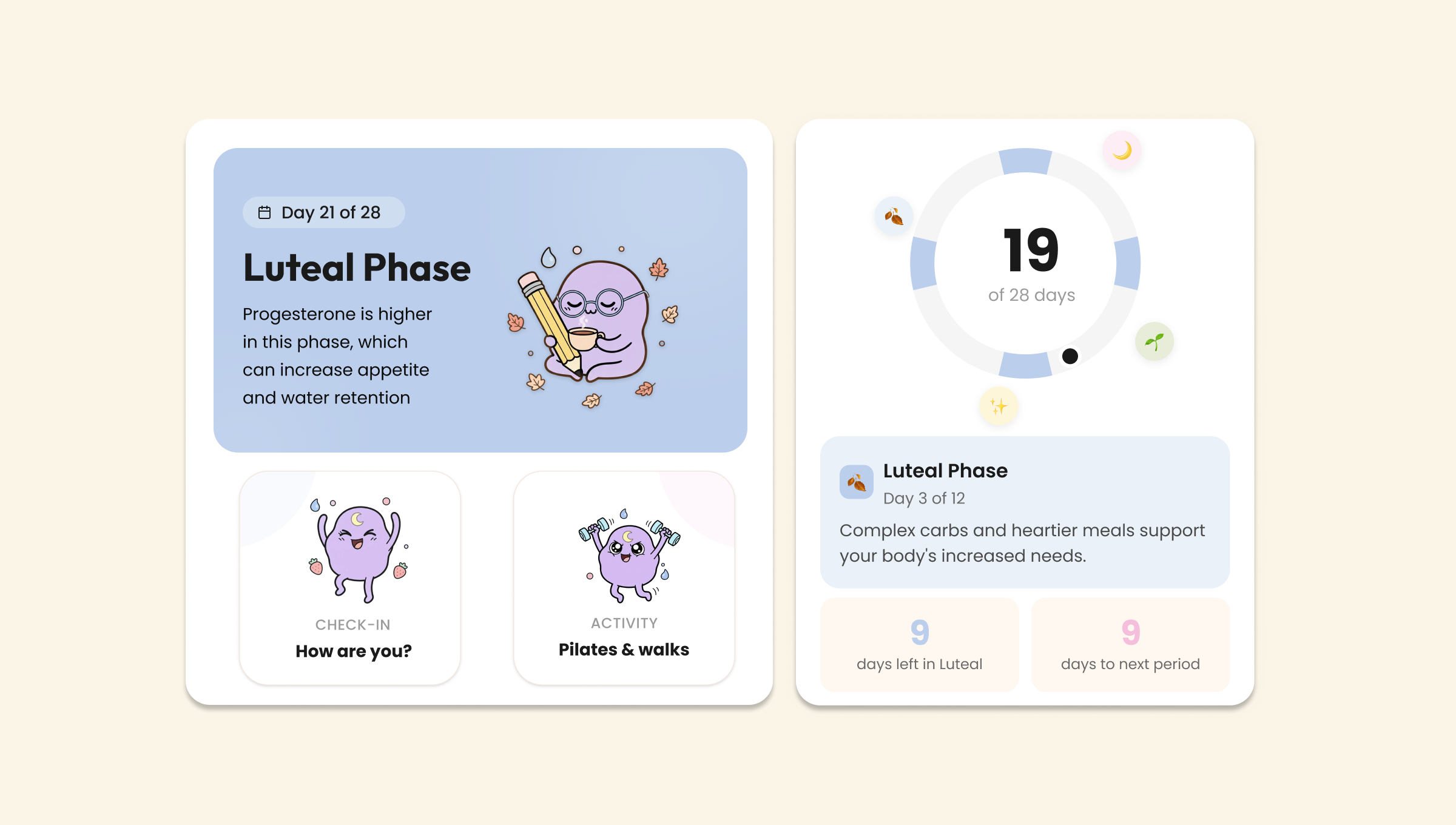
Dynamic hero
Shows "Day X – [Phase]", plus a small "Why do I feel this way?" section with phase-specific biological facts.
Quick actions
- •Activity suggestion (e.g. more intense workouts in follicular, gentler movement in late luteal)
- •One-tap mood/energy check-in
Cycle-aware nutrition card
Uses a baseline TDEE and applies a simple phase-based adjustment (for example, a small calorie bump in luteal). Instead of a single fixed number, the card shows a range and a short explanation like: "Slightly higher target today to support luteal-phase energy and cravings."
3. The Kitchen (recipes)
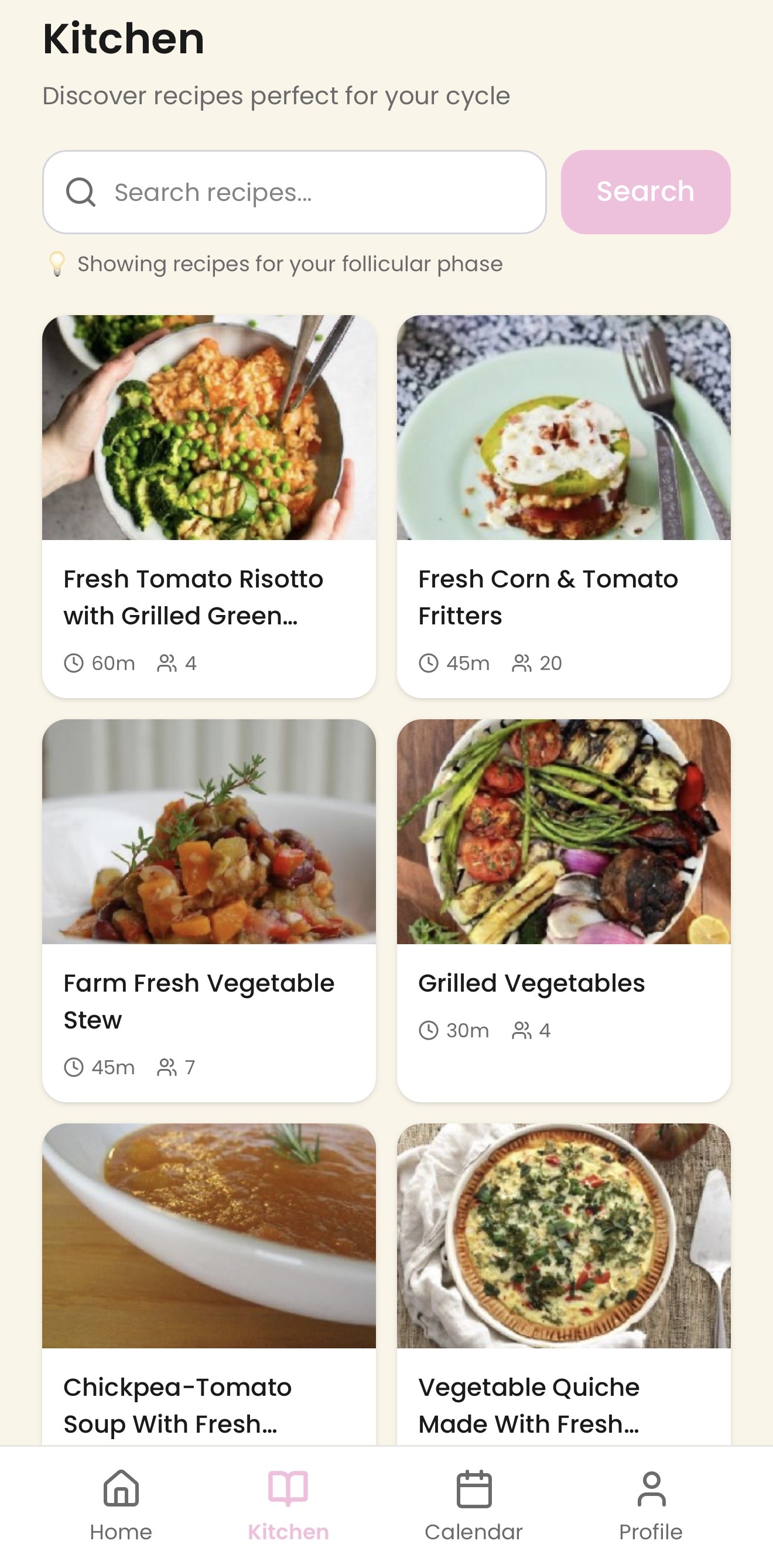
The Kitchen is designed around a realistic goal: If there are easy recipes within reach, I'm less likely to eat out and more likely to cook something decent.
I used a Supabase Edge Function to connect to the Spoonacular API and fetch real recipes into the app. The UI presents them as simple, home-cookable options:
- •Recipe cards with an image, title, cook time, and servings
- • A detail view with ingredients and step-by-step instructions
This turns "I don't know what to cook" into a small swipe-and-tap decision.
4. Meal logging

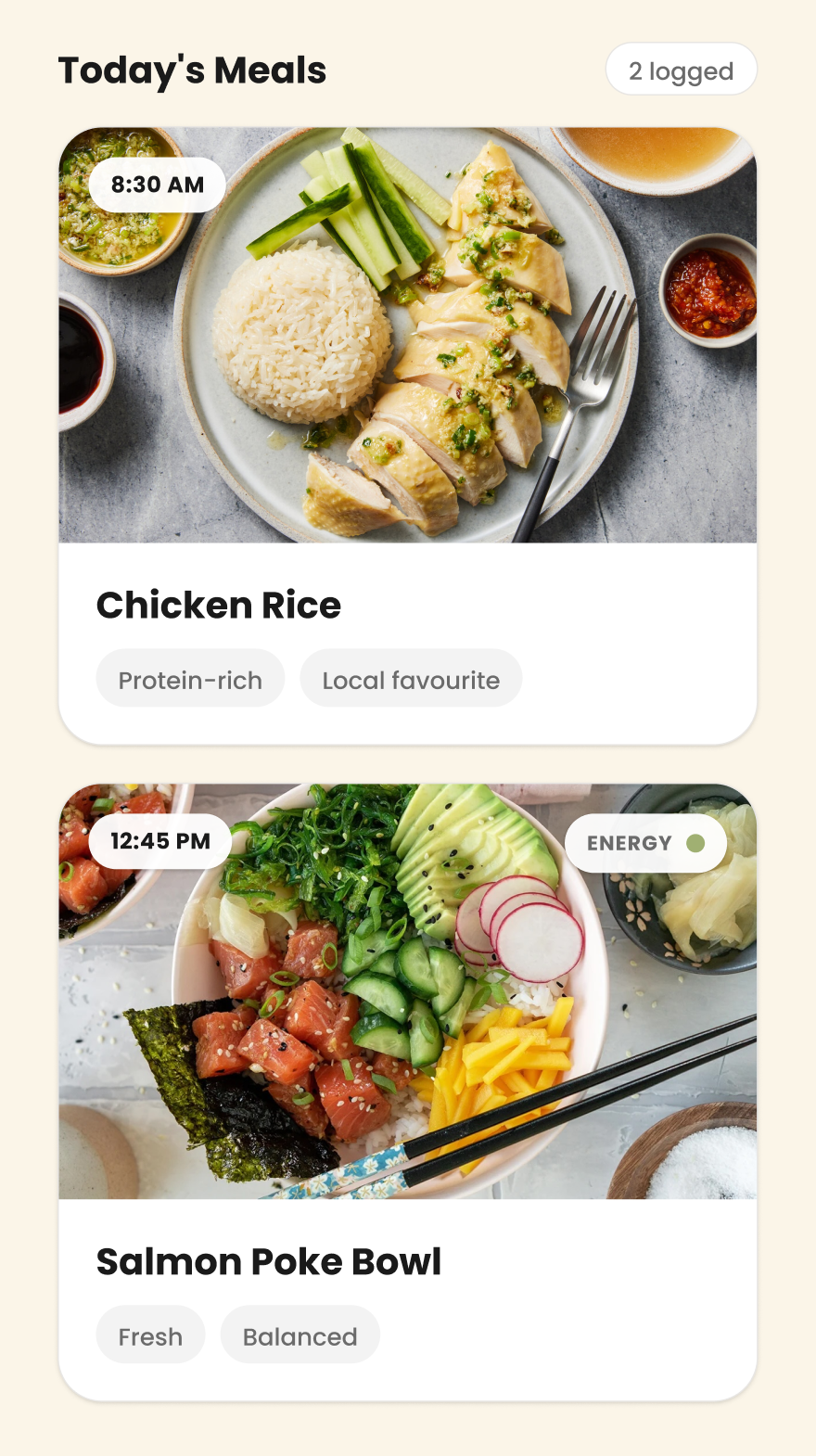
Meal logging is designed to connect food and how you feel:
- •Card-based list of meals with imagery
- •For each meal, users log what they ate and how it made them feel (energy/mood tags)
This lays the foundation for future insights like "higher-protein breakfasts in the luteal phase seem to stabilise afternoon energy."
Luna, the AI assistant
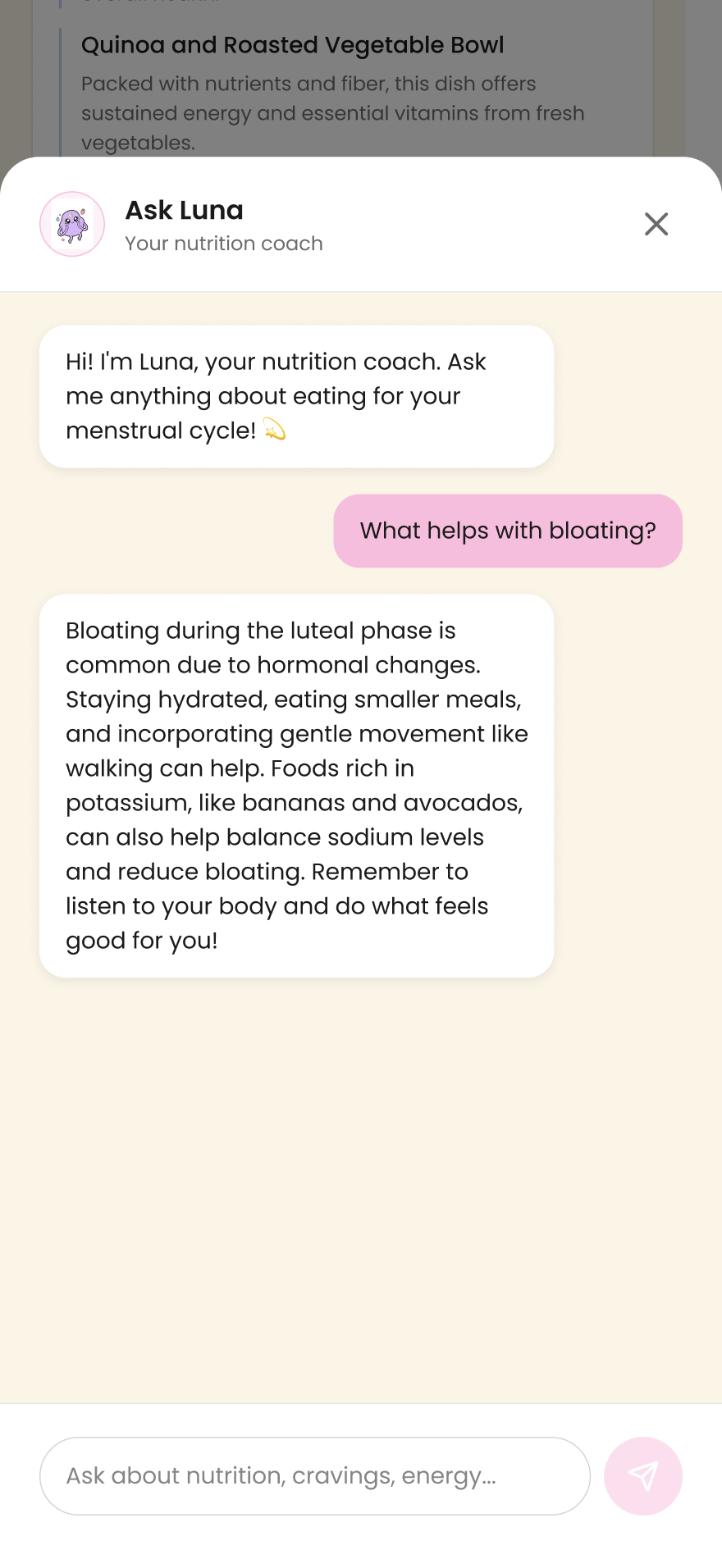
Luna is the AI chat assistant, accessible from any screen. Users can ask nutrition or cycle-related questions and get phase-specific guidance. The character design was generated with Gemini, then integrated as a visual thread connecting the app.
How it works
- •A cycle calculation utility takes the user's last period date and cycle length to compute day-in-cycle and current phase.
- •A global CycleContext shares this across screens so the Home dashboard, Kitchen, and any future features stay in sync.
- •Figma Make handled most of the React/Tailwind scaffolding; I focused on defining the behaviours, flows, and content logic.
What this project shows
Luna Log demonstrates how I:
- •Turn a personal frustration into a structured product concept
- •Design end-to-end flows around a clear mental model (cycle → phase → daily plan)
- •Use shared context and simple algorithms to keep the UI dynamic and consistent
- •Integrate a real recipe API in a pragmatic way to support realistic "what should I cook?" moments
- •Collaborate with AI tools like Figma Make and Gemini as accelerators, while still making the core product decisions myself
If I continue the project, I'd like to test the prototype with women who currently juggle multiple tracking apps, and later refine the phase-based rules with input from a nutrition or women's health specialist.
Try it yourself
Explore the interactive prototype and experience how Luna Log adapts to different cycle phases.
View PrototypeBest viewed on mobile · Opens in a new tab
Want to see more?
Explore other projects or get in touch to discuss design opportunities.